
A private location is a charging site intended primarily for your own fleet.
It is not visible to other users and is not discoverable in charging apps or map services.
This guide explains what a private location represents, how access works, and how to configure it in TruckCharge Connect.
What Does “Private” Mean?
When a location is set to private:
- It is only visible to your company
- It does not appear in charging apps or public maps
- External fleets cannot discover the site digitally
- Charging is expected to be used by your own vehicles
An external truck can only charge at a private location if all of the following are true:
- The driver already knows the charger exists
- They have physical access to the site (e.g. barriers, gates, reception)
- They have an authentication method (RFID or vehicle-based authentication) that is managed by the Spirii × TruckCharge eMSP backend
Using a private location together with a central management system (CPMS) also allows you to disable Kiosk or FreeVend mode on chargers and require authentication.
This adds an additional layer of security, as chargers in Kiosk or FreeVend mode allow charging without authentication.
Pricing and Monetisation at Private Locations
Even for private locations, a price must be linked to the location.
- This is a system requirement
- For internal fleet charging, it is recommended to use a 0 EUR tariff
Although the location is private, you can still monetise charging selectively:
- Create vouchers for specific user groups (for example, suppliers or partners)
- Apply discounted or paid pricing to those groups
- Allow your own fleet to continue charging at no cost
This setup allows differentiated pricing without making the location public or semi-public.
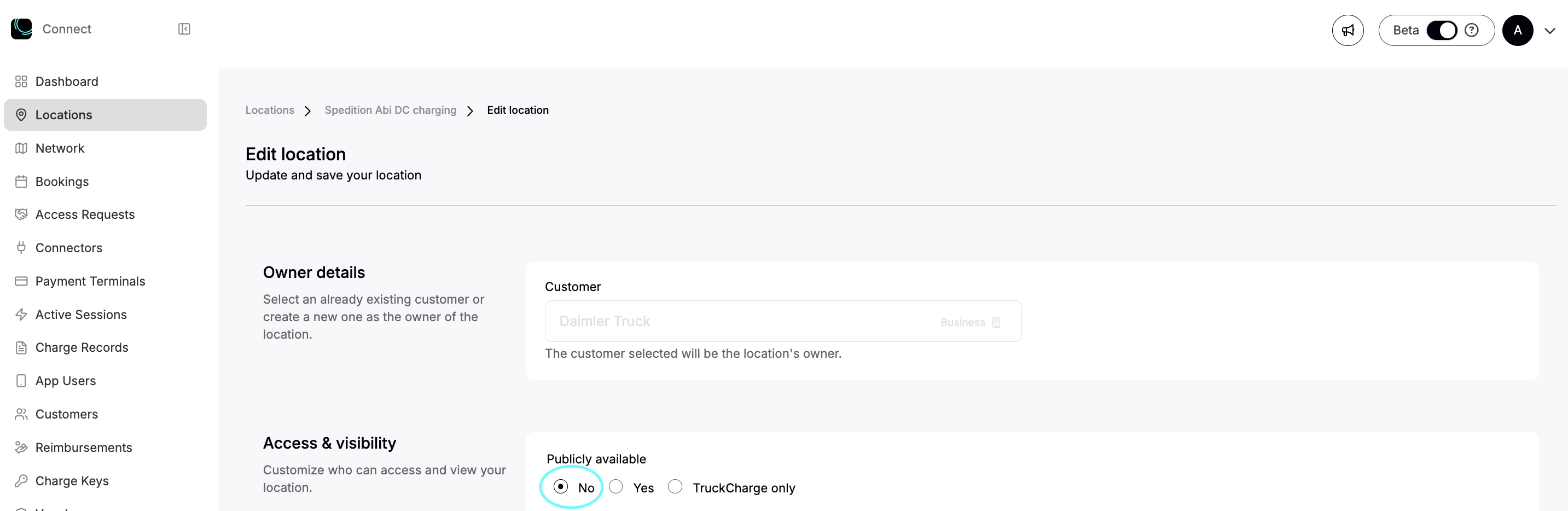
How to Configure a Location as Private
To change an existing location to private:
- Open the location
- Click Edit
- Set Publicly available to No
- Save to apply the changes
Physical Access and Opening Hours
Regardless of how a location is configured in TruckCharge Connect, a charging site may still be protected by physical access controls, such as gates, barriers, or other on-site procedures.
Some depot owners choose to allow access to their charging site only during specific days and times. This can be managed digitally using Opening Hours.
When Opening Hours are enabled on a location:
- The location becomes visible in charging apps during the defined time intervals
- Drivers can start a charging session if they have a valid authentication method, such as:
- An RFID, or
- Vehicle-based authentication (MAC address)
managed by the Spirii × TruckCharge eMSP backend
When using Opening Hours, it is important to ensure that digital availability aligns with physical access to the site.
Read more about Opening Hours here.
Summary
A private location:
- Is hidden from charging apps and public maps
- Is intended for internal fleet charging
- Requires authentication to start charging
- Can use a 0 EUR tariff for free internal charging
- Can still support selective monetisation via vouchers
Private locations are well suited for depots where charging is an operational asset rather than a shared public service.
What Comes Next
After configuring a location as private, you should: