
A semi-public location is a charging site that is accessible only to members of the TruckCharge Network.
This guide explains what a semi-public location is, when it is appropriate to use, and how to configure it.
What Does “Semi-Public” Mean?
When a location is set to semi-public:
- It is visible only to users who are part of the TruckCharge Network
- Fleets within the TruckCharge Network can see the location on all eMSP interfaces (charge map in Connect, TruckCharge app) and charge there
- Fleet managers and drivers from external networks will not see the location in their apps
- Roaming from third-party eMSPs is not currently supported (e.g. drivers with Mercedes-Benz Service Cards cannot charge at semi-public locations)
- Only authentication methods recognised within the TruckCharge Network can be used. Drivers using RFIDs or apps that are not part of the TruckCharge Network will not be able to start a charging session at the location.
When is a Semi-Public Location Appropriate?
Semi-public locations are typically used when:
- You have charging capacity available at your depot and are comfortable allowing third parties to charge
- You want access to be limited to fleets that are members of the TruckCharge Network
- You want to avoid managing individual approvals while still restricting access to a defined group
- You do not want your site to be visible to the general public or external roaming networks
This setup allows charging by fleets that may be known or unknown to you, but that participate in a network governed by organisations you trust.
Regulatory Considerations
Even though access is limited, semi-public locations are still subject to AFIR requirements and any applicable national regulations.
As part of the TruckCharge Network, Spirii provides guidance on compliance. However, responsibility for ensuring regulatory compliance remains with you as the charge point owner.
How to Configure a Location as Semi-Public
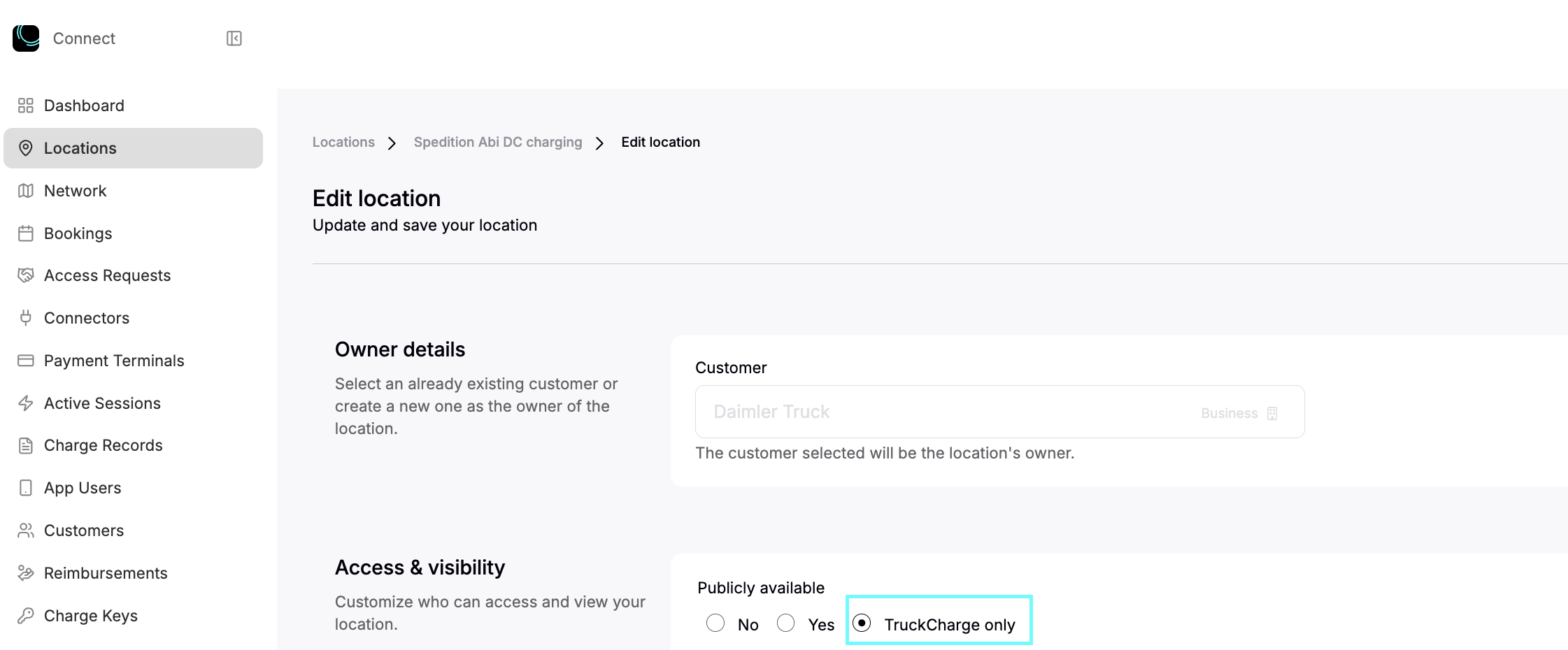
To change an existing location to semi-public:
- Open the location
- Click Edit
- Set Visibility to TruckCharge only
- Click Save to apply the changes
What Comes Next
After setting a location to semi-public, you must:
You can then continue with:
- Truck-specific location settings
- Booking schedules
- Operational configuration