
In order to best utilize the available power at a charge point we recommend enabling Dynamic Load Management (DLM) for supported chargers.
|
💡Dynamic load management is an intelligent logic that proportionally distributes the available power between multiple chargers at a location depending on how many EV cars are currently connected and in need of power. This ensures higher reliability and less downtime on the site due to fewer occurrences of blown fuses. |
This logic is in some cases build directly into the hardware by the manufacturer. However, if this is not the case with the charger brand you use, Spirii got you covered. In Connect you have the option to enable the load balancing logic.
How does it work?
Dynamic Load Balancing calculates and distributes power based on 4 inputs:
- The maximum fuse capacity for the circuit the chargers are connected to
- The maximum power capacity of the individual chargers
- How many cars are currently connected to chargers in the circuit
| 💡 Wait, wait, wait… circuit? In the electrical cabinet on a location, the fuses of the chargers are all connected to a circuit that is limited by the main fuse. In most cases, a location will have only a single main circuit. However, on larger sites with many chargers, you will often see groups of chargers connected to a sub-circuit below the main circuit. |
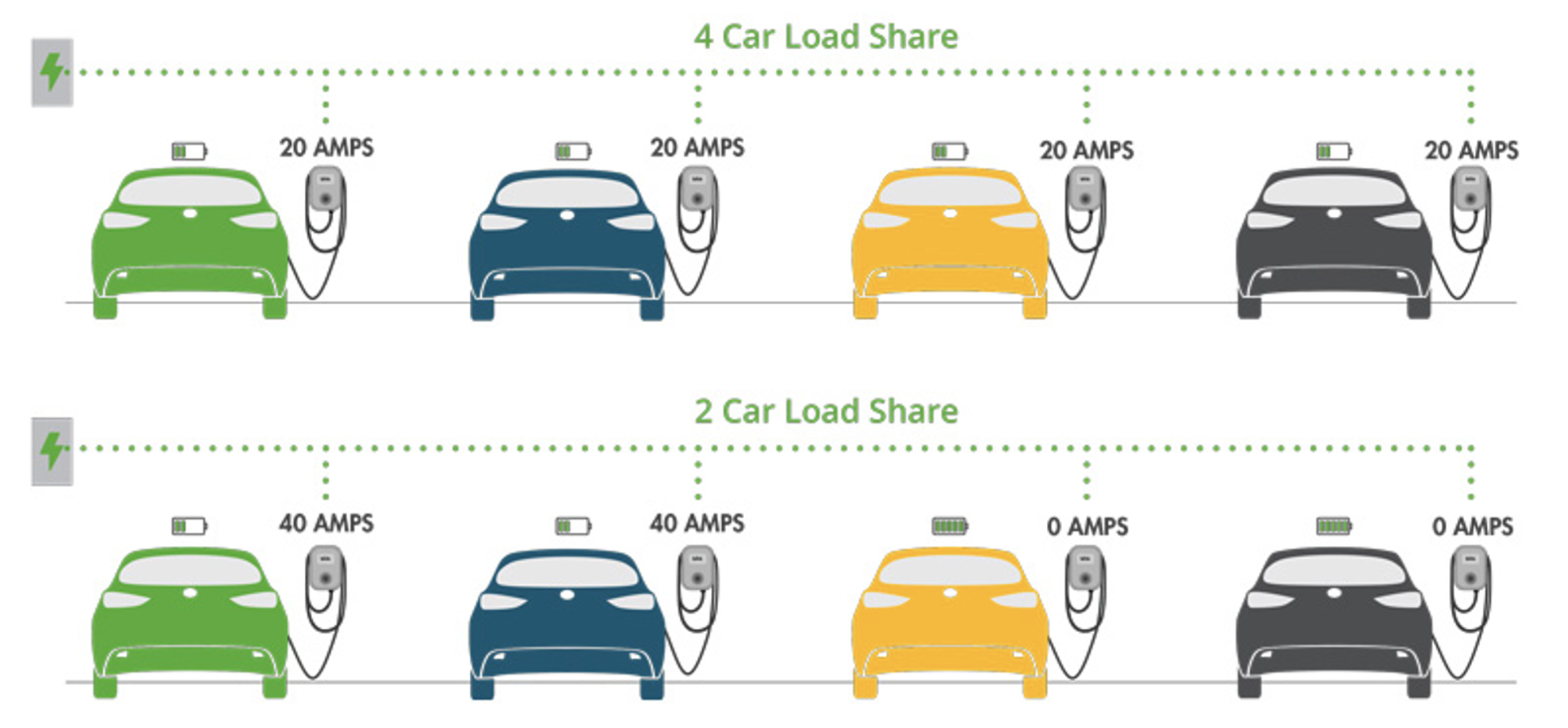
Example:
Let’s say you have 1 location, with 1 circuit, and 4 chargers with 2 connectors each (8 in total).
The main fuse is set to 64 amps, whilst each charger has a limit of 32 amps.
- There are currently 4 cars charging which get 16 amps each of power (64 / 4).
- If a 5th car connects to the location and starts charging, each car now gets 12.8 amps (64 / 5).
- If 2 cars are done charging and go into idle mode, the remaining gets 21.3 amps (64 / 3).
| ⚠️ Note that if one of the 3 remaining cars demands and can handle 32 amps, the car will still only get 21.3 amps as we will proportionally distribute the maximum amount of current to the 3 cars. |
How can it be set up?
The electrical wiring and fuse capacity are of course determined by the installation at the physical location, and is set when the charger is created in Connect. See How to onboard / create / activate a new chargebox on a location.
However, in Connect you can adjust the settings, connect the chargers, and enable/disable the dynamic load balancing logic.
⚠️ Note: Only supported charger models are available for selection. If the chargers are not selectable, the feature is not available.
- Find your Location in Connect and navigate to the Power Management tab.
- Click the + icon in DLM Circuits.
- Populate Circuit name and Maximum fuse capacity.
- Select the chargers that should be part of this circuit.
-
Tick the box Dynamic load management.
⚠️ Note: You can only turn DLM on or off if all connected chargers are currently online.
- You’re now done! 🚀
This feature also works with the Vehicle Charging Prioritization logic, that can be set up in Connect. This is highly relevant for owners of emergency vehicles, that requires prioritized charging on the location. Read more about this feature here: Vehicle Charging Prioritization.
If you have any questions to the feature, please reach out to your assigned account manager at Spirii, or contact us at support@spirii.com.