
Welcome! This guide walks you through your first login to the TruckCharge Connect platform, from receiving your invitation email to completing your secure login setup.
If this is your first time using an EV charging management system, don’t worry. We’ll guide you step by step.
Before You Start
- A member of the Spirii team will create your account for you
- You will receive an email invitation at the contact email address you provided on the registration form
- You do not need to sign up yourself
Step 1: Accept Your Invitation
You will receive an email from noreply@mail.spirii.com with the subject: “Welcome to Connect”
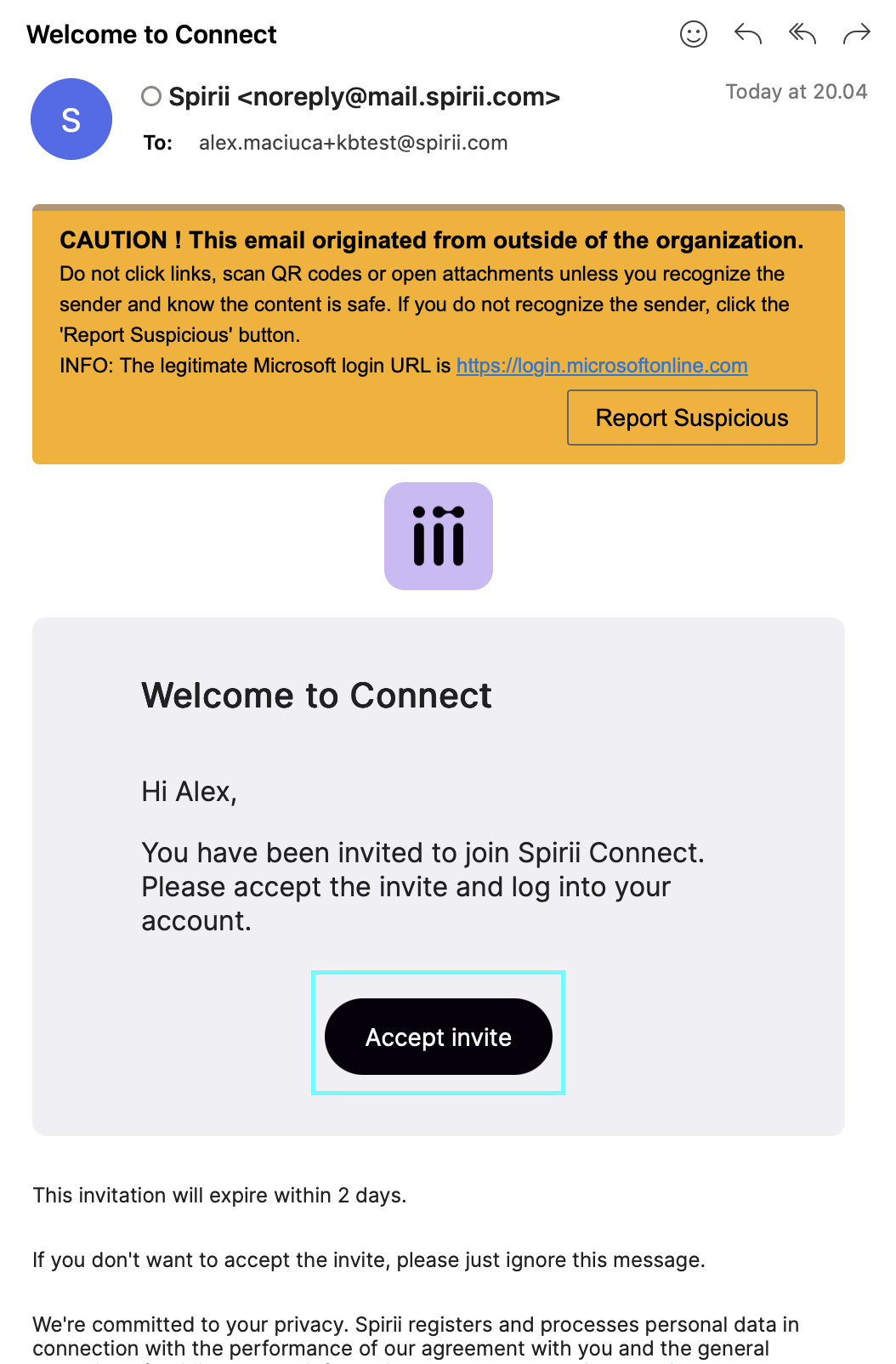
What to do:
- Open the email
- Click Accept invite
- Make sure to accept the invite within 2 days, before it expires
You may notice the email mentions Spirii Connect.
This is expected. Spirii Connect is the technology behind the white-label TruckCharge Connect platform.
Step 2: Create Your Password
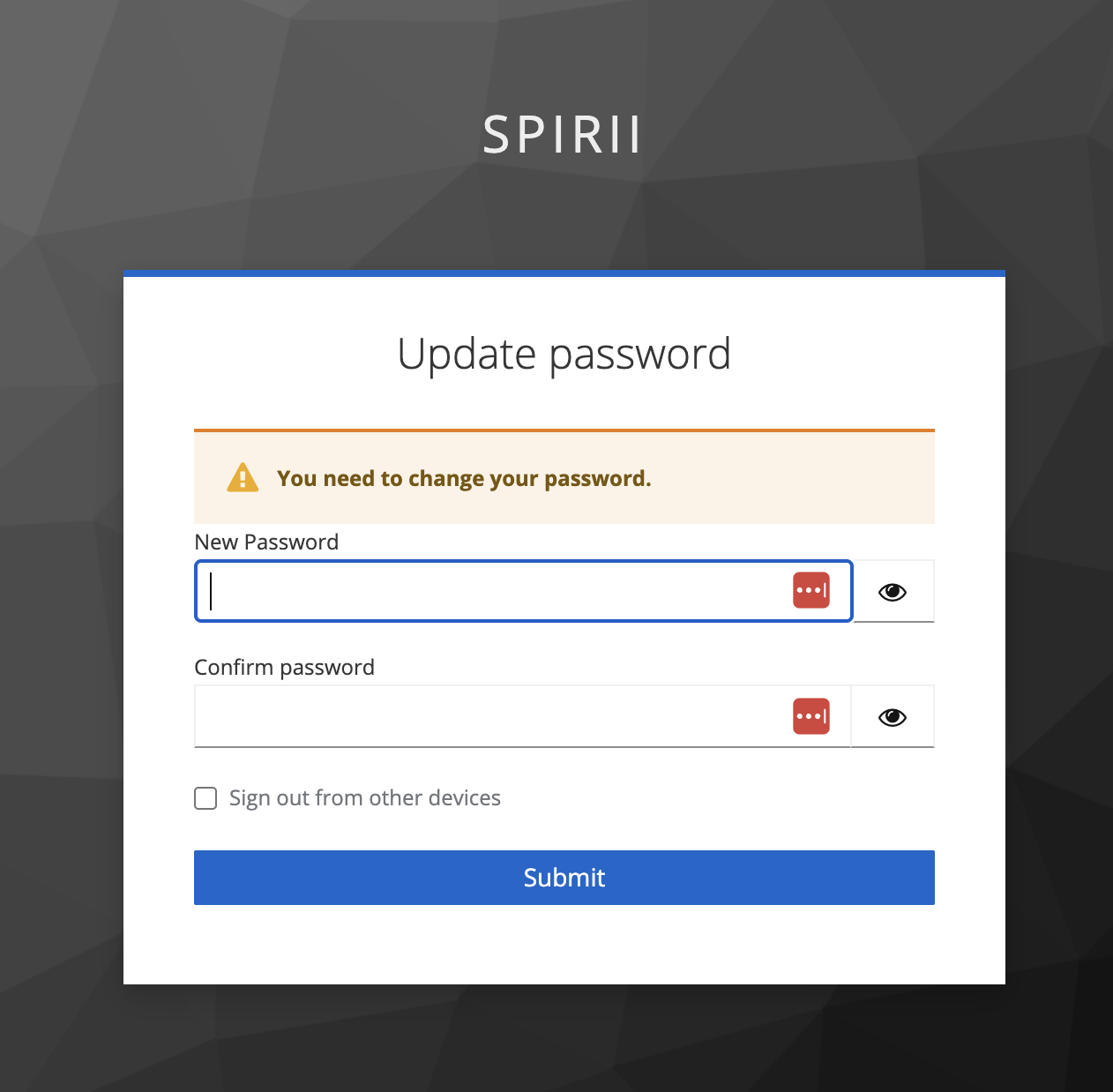
After clicking Accept invite, you’ll be redirected to a secure page.

- Create a password of your choice
- Confirm the password
- Submit the form
You’ll then see a confirmation message that your account has been updated.
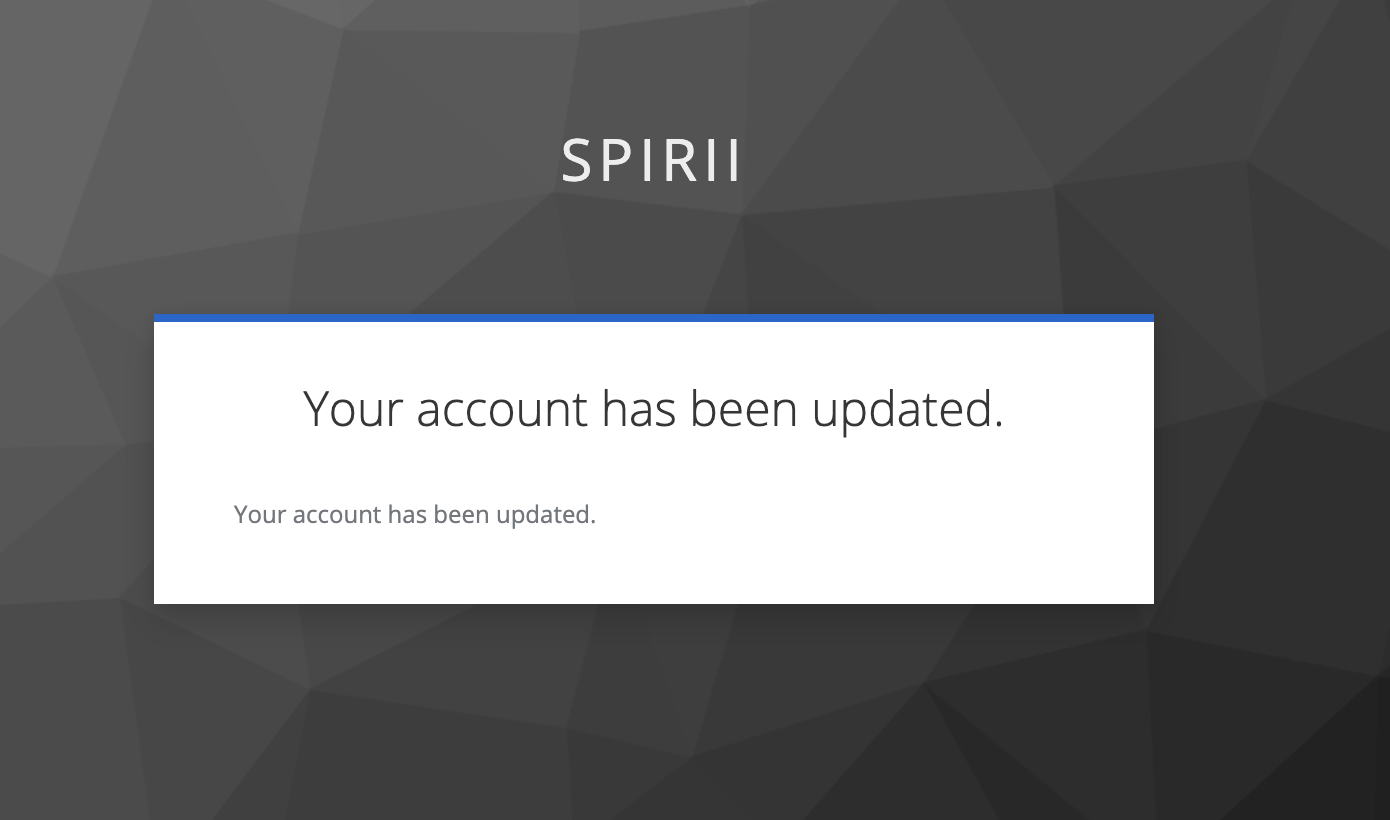
✅ Once confirmed, you can safely close this page.
Step 3: Go to the Login Page
Open your browser and go to:
💡 Tip: We recommend bookmarking this page so it’s easy to access in the future.
Step 4: Log In With Your Email and Password
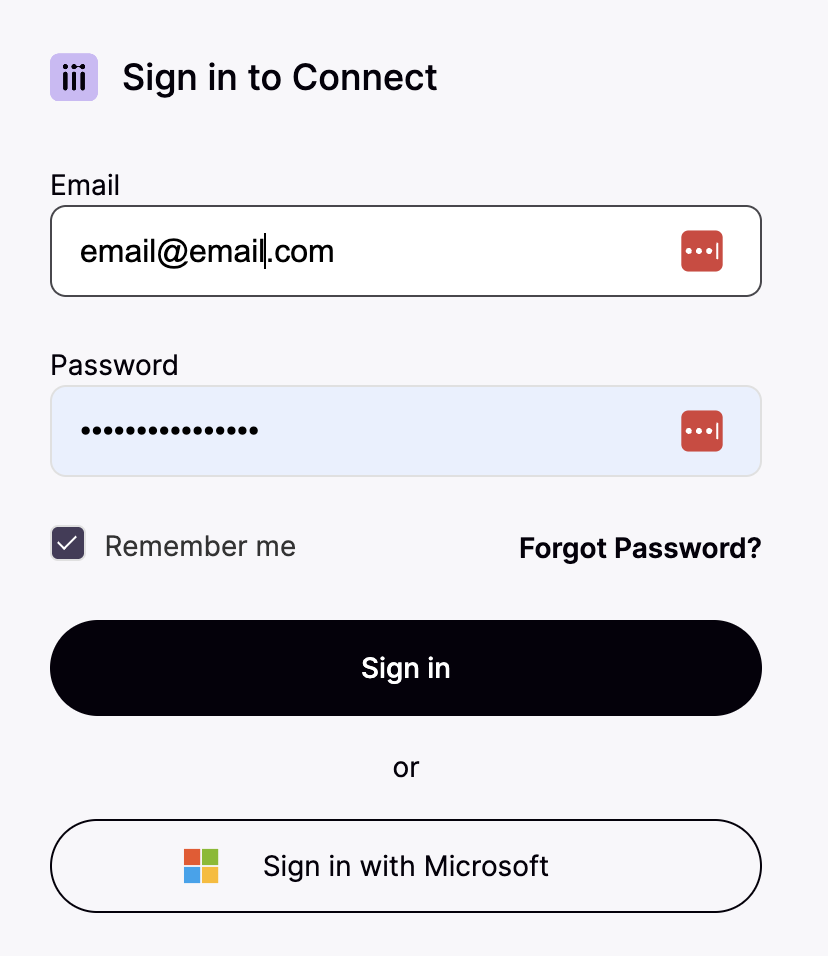
On the login page:
- Enter your email address
- Enter the password you just created
- Continue to sign in
Step 5: Trust This Device (Recommended)
You’ll be asked whether you want to trust this device.
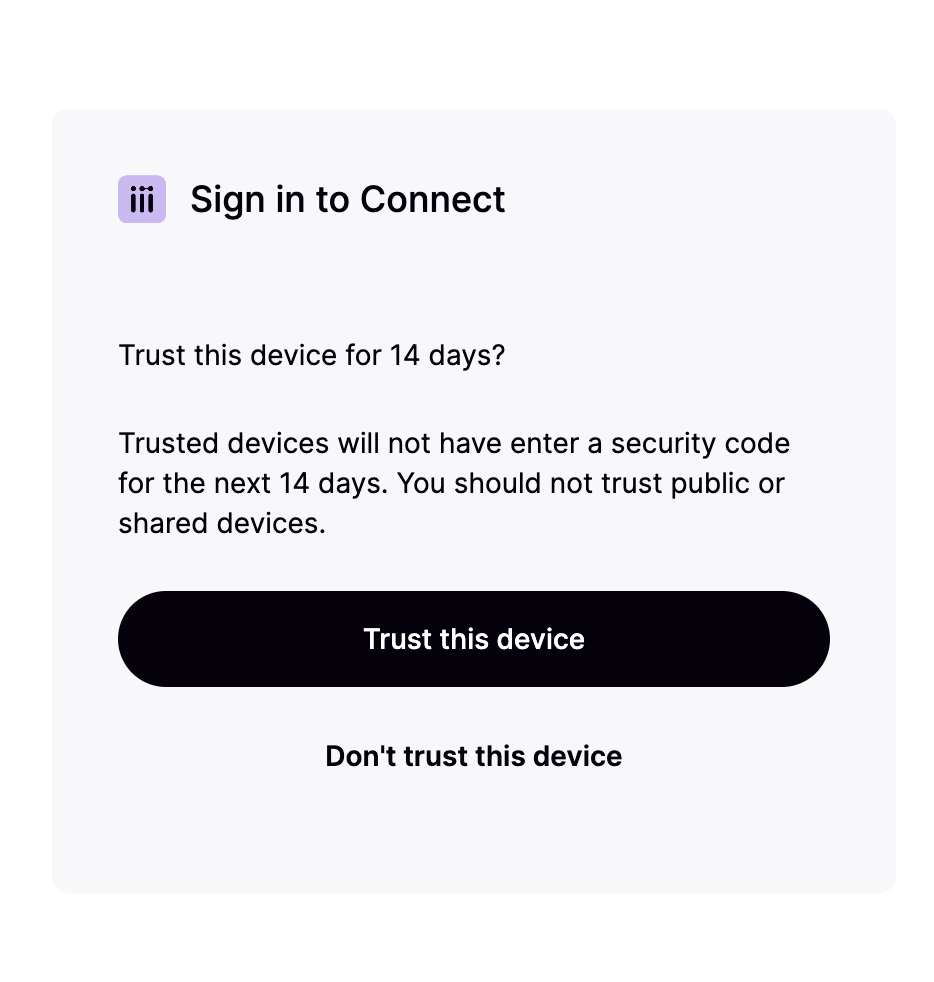
We strongly recommend selecting Yes
Why?
- You won’t need to enter a multi-factor authentication (MFA) code every time you log in
- Your account remains secure
- Ideal for work laptops or personal devices you use regularly
Step 6: Set Up Multi-Factor Authentication (MFA)
For security reasons, MFA is required.
What you need:
- A smartphone
- An authenticator app (for example: Microsoft Authenticator, Google Authenticator, or similar)
How to set it up:
- Download an authenticator app on your phone
- On your computer screen, a QR code will be shown
- Open the authenticator app
- Scan the QR code
- Confirm setup when prompted
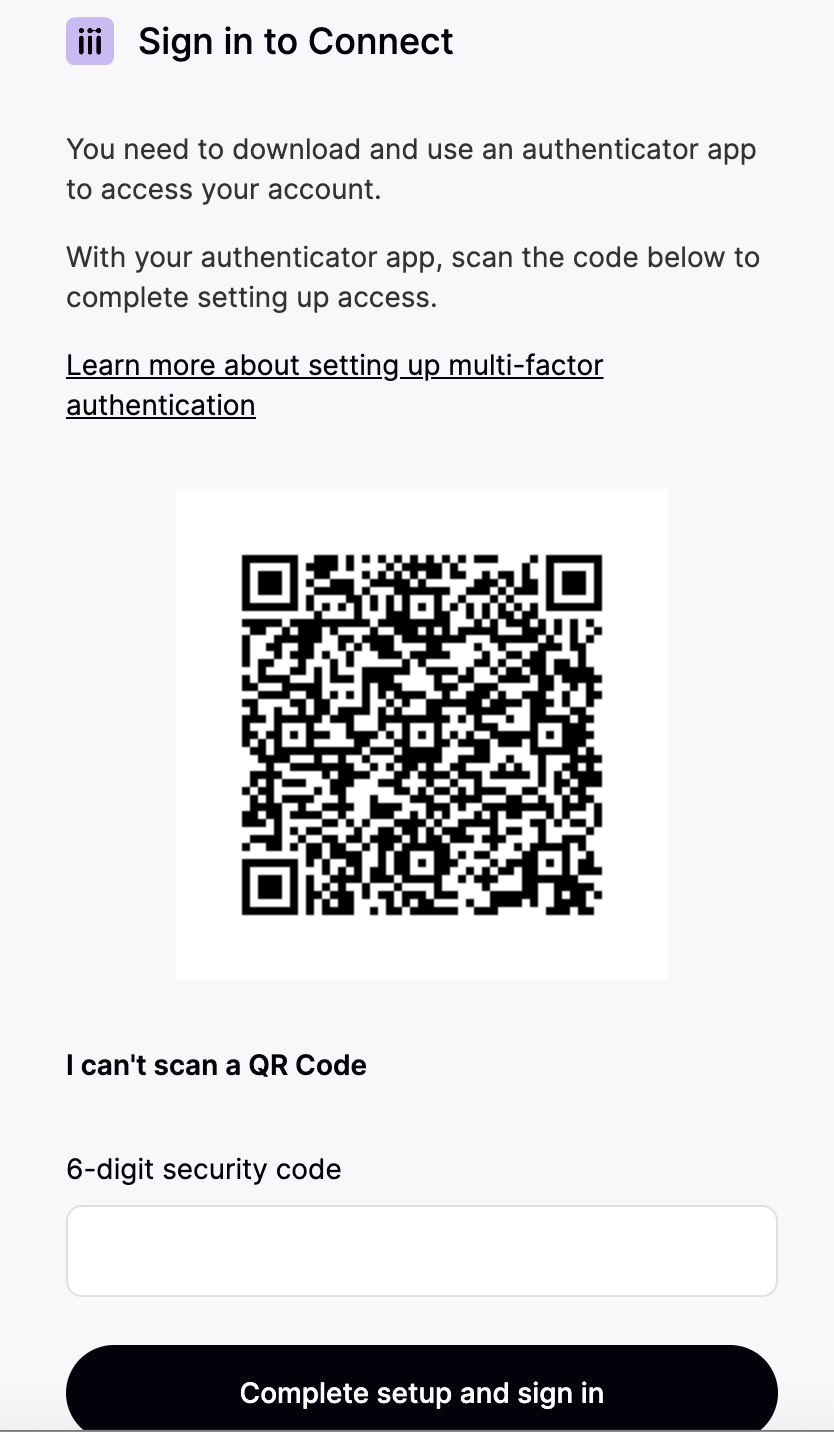
Once completed, your MFA is active.
You’re In 🎉
That’s it - you’re now logged in and ready to use the platform.
From here, you can:
- Invite colleagues from your organisation
- Start setting up depots and chargers
- Manage access, bookings, and charging operations
Common Questions
Why does the email say “Spirii Connect”?
TruckCharge Connect is powered by Spirii Connect - this is expected and safe to proceed.
What if I didn’t receive the invitation email?
Check your spam or junk folder. If it’s not there, contact your Spirii representative.
Can I skip multi-factor authentication?
No - MFA is required to keep your charging network secure.
When you’re ready, continue to the next article: